Mobile command screen
Design a native mobile app command screen for a productivity tool. Include the primary task, bottom navigation, quick actions, empty state, loading state, permission state, and a compact 390px first-screen layout.
Prompt hub
Start with the free SaaS onboarding prompt: customize the questions, skip behavior, saved progress, and first useful product result. Then explore dashboard, mobile, and settings workflows for your app.
App UI prompt path
App UI prompt visitors are usually deciding between a mobile screen, checkout flow, dashboard, onboarding step, or paywall. These paths route broad app UI searches into prompts with states, native constraints, and preview proof.
Use the workflow-builder hub when the app needs automation steps, review queues, integrations, and paid product-flow proof.
AI workflow builder prompts
Use this when a Lovable MVP needs invite flows, client intake, progress states, documents, approvals, CRM handoff, and first-success onboarding.
Lovable app prompts for client onboarding apps
Start with a free system-native mobile screen prompt when the job is a real product command surface.
app UI prompts for mobile app screens
Use the mobile hero hub when the first viewport needs a phone UI preview, native app proof, CTA, and trust copy.
mobile app hero prompt
Route checkout-intent visitors into mobile purchase prompts with trust cues, payment states, recovery paths, and checkout proof.
native app checkout
Use the free ecommerce checkout prompt when the interface needs cart review, coupon states, confirmation, and mobile-first hierarchy.
mobile checkout flow
Use the focused paywall path when the app screen needs pricing logic, entitlement states, upgrade copy, and checkout handoff detail.
subscription paywall prompt
Use the mobile category for onboarding, settings, checkout, task feeds, paywalls, and native product states.
mobile app screens prompts
Compare reviewed mobile, dashboard, onboarding, and paywall outputs before unlocking full prompt bodies.
premium app UI prompts
Strong app UI prompts define the screen job, user state, control hierarchy, failure paths, and mobile constraints before asking for visual polish.
Design a native mobile app command screen for a productivity tool. Include the primary task, bottom navigation, quick actions, empty state, loading state, permission state, and a compact 390px first-screen layout.
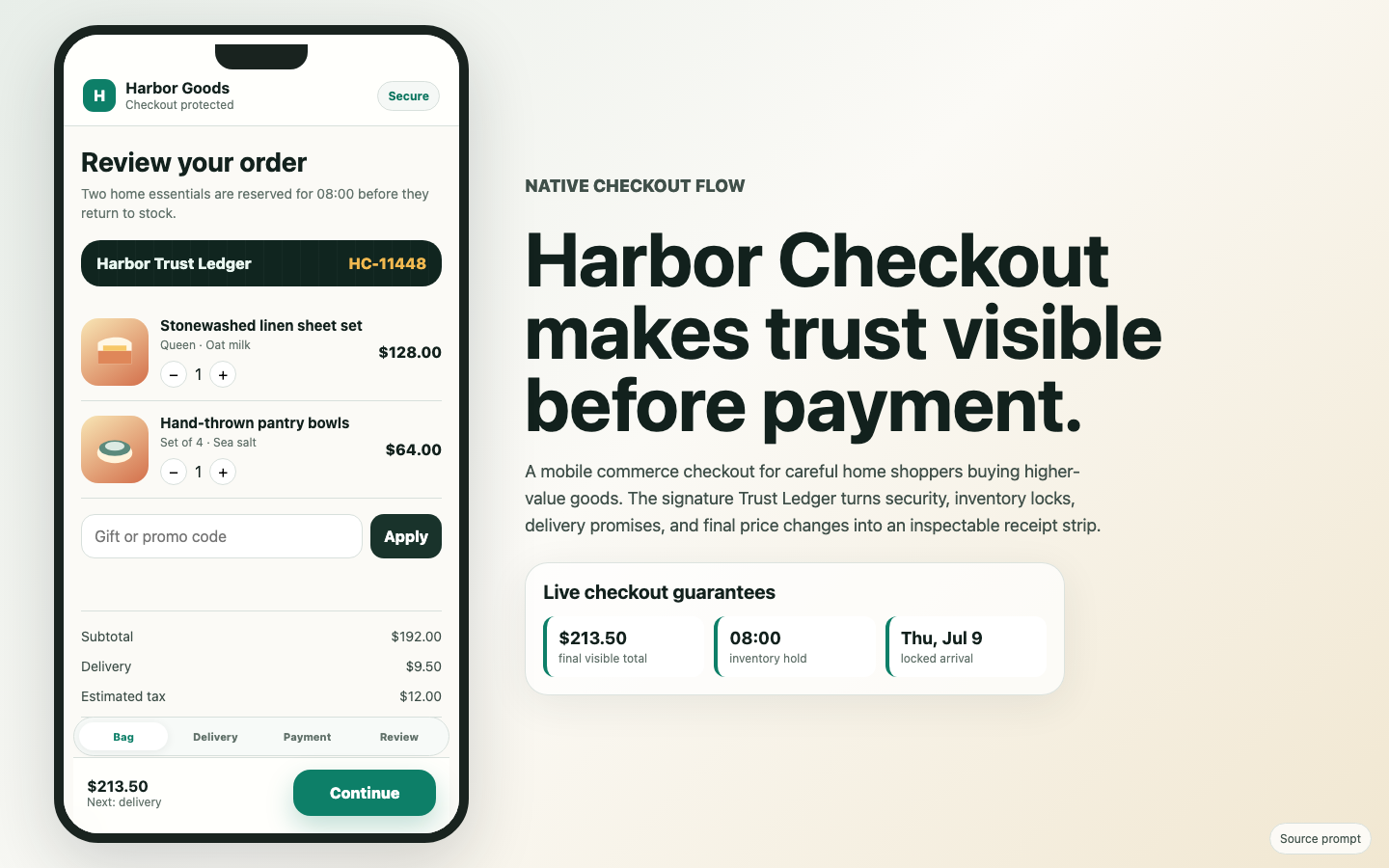
Create a mobile checkout flow for an app purchase. Show cart review, payment method, trust cues, coupon state, disabled CTA rules, failure recovery, and confirmation copy without leaving the native app pattern.
Design a SaaS subscription paywall screen with plan comparison, entitlement limits, upgrade trigger, trial state, payment handoff, cancellation reassurance, and the post-purchase success state.
Inspect mobile app, checkout, settings, onboarding, and paywall outputs before unlocking full prompt bodies.
Read the focused prompt guides connected to this hub.
Write Google Stitch UI design prompts with product context, screen inventory, realistic content, navigation, interaction states, visual constraints, and iteration criteria.
Compare AI UI design tools for text prompts by prompt depth, multi-screen consistency, realistic content, interaction states, responsive behavior, iteration, and handoff.
Turn text prompts into focused Uizard UI concepts with clear product goals, screen inventory, realistic content, navigation, interaction states, and visual constraints.
Write UI design prompts for production-ready interfaces with clear product context, screen hierarchy, realistic data, interaction states, and responsive behavior.
Compare a practical prompt workflow for iterating on app UI hierarchy, realistic data, interaction states, responsive behavior, and implementation constraints.
Use dating app UI prompts to design credible discovery, profile, matching, messaging, safety, and premium flows without copying proprietary brand assets.
Use app UI prompts for settings pages to brief settings pages with concrete layout direction, visual proof, responsive states, and matched UI Prompt Library examples.
Use app UI prompts for mobile app screens to plan mobile app screens with clearer audience context, visual proof, responsive behavior, practical states, and related UI Prompt Library examples.
Use app UI prompts for workflow apps to plan workflow apps with clearer audience context, visual proof, responsive behavior, practical states, and related UI Prompt Library examples.
Use app UI prompts for onboarding flows to plan onboarding flows with clearer audience context, visual proof, responsive behavior, practical states, and related UI Prompt Library examples.
Use app UI prompts for dashboard screens to plan dashboard screens with clearer audience context, visual proof, responsive behavior, practical states, and related UI Prompt Library examples.
Use app UI prompts for admin interfaces to plan admin interfaces with clearer audience context, visual proof, responsive behavior, practical states, and related UI Prompt Library examples.
Free prompts can be copied immediately. Premium cards show a public preview and link to access options.